
Pipeline Settings
Pipelines are how you track opportunities as they move toward a sale. Each pipeline is a series of stages — for example, New Lead → Contacted → Quoted → Won — and each opportunity sits in one stage at a time. Pipeline Settings is where you design those stages and manage how many pipelines you run.
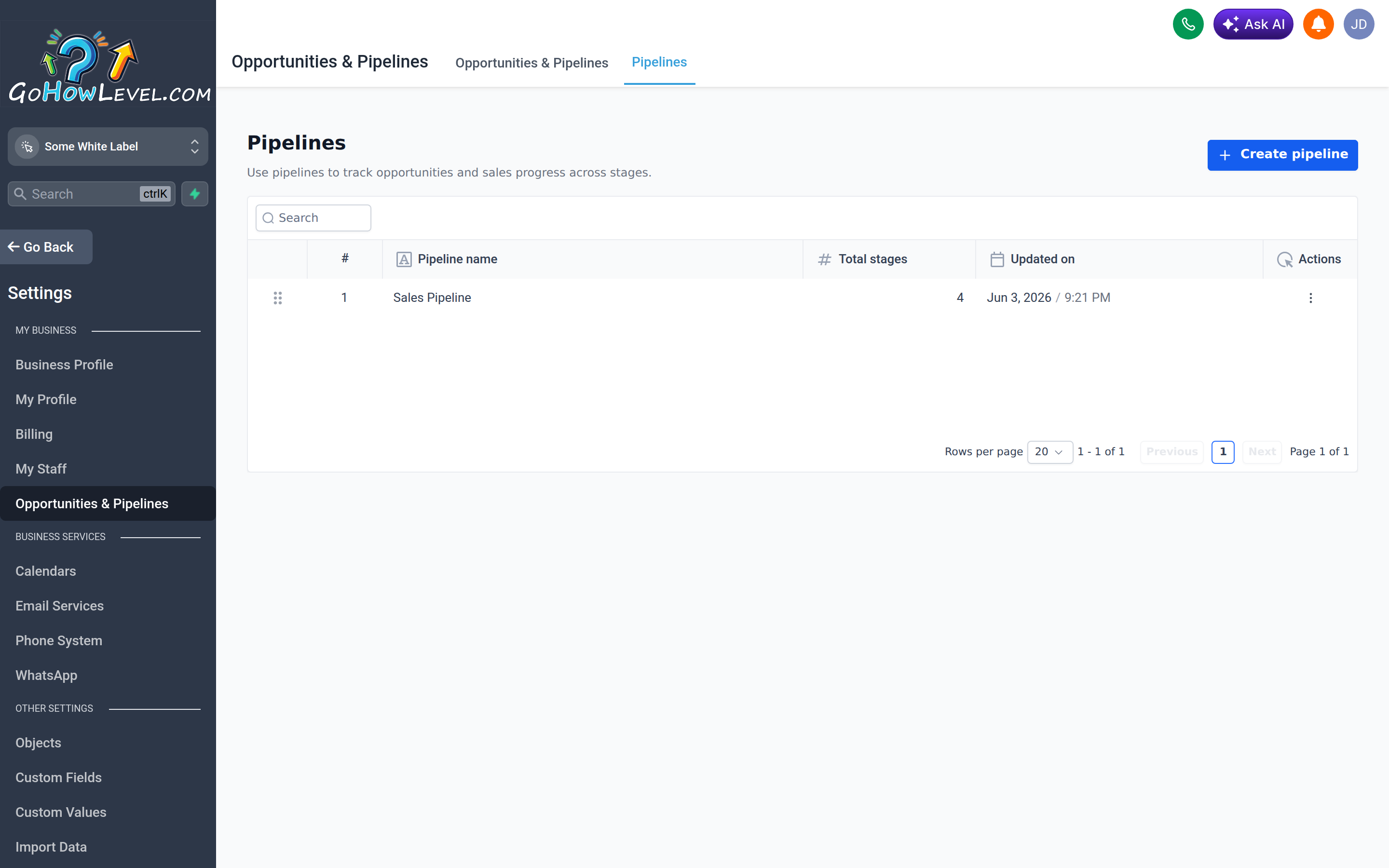
Pipeline settings is where you create pipelines and design the stages your opportunities move through.
Creating a pipeline
Section titled “Creating a pipeline”- Go to Settings → Pipelines (or the Opportunities settings area).
- Select Create Pipeline (or Add Pipeline).
- Give the pipeline a clear name that describes the process it tracks, such as “Sales” or “Onboarding.”
- Add your stages in order.
- Save the pipeline.
Designing your stages
Section titled “Designing your stages”Good stages describe what’s true right now about an opportunity and make the next action obvious. Aim for a small set of meaningful steps rather than a long, granular list.
- Add a stage for each distinct phase of your process.
- Rename a stage at any time by editing its label.
- Reorder stages by dragging them so they follow the real flow of your process.
- Remove stages you don’t need.
Controlling visibility
Section titled “Controlling visibility”You can control whether a stage’s opportunities are visible in certain views and whether a pipeline is shown in the funnel/board view. Use visibility to keep your team focused on the pipelines that are relevant to their work and to hide internal-only stages from cluttering the main board.
Running multiple pipelines
Section titled “Running multiple pipelines”You’re not limited to one pipeline. Create separate pipelines for genuinely different processes — for instance, a sales pipeline, an onboarding pipeline, and a renewals pipeline. Each has its own stages and its own board.
Use multiple pipelines when:
- The steps are fundamentally different (selling vs. delivering).
- Different teams own different processes.
- You want clean reporting on each process separately.
Avoid creating a new pipeline when a few extra stages on an existing one would do the job.
Don’t over-engineer
Section titled “Don’t over-engineer”The most common pipeline mistake is too many stages. A pipeline with fifteen finely-sliced stages looks thorough but becomes a chore to maintain — opportunities stall in the wrong place, and your team stops dragging cards because it’s too fiddly.
A practical example
Section titled “A practical example”A straightforward sales pipeline might be:
| Stage | Meaning |
|---|---|
| New Lead | Just arrived, not yet worked |
| Contacted | We’ve reached out |
| Quoted | Proposal or pricing sent |
| Won | Closed and converted |
| Lost | Closed without converting |
That’s enough to see where every deal stands at a glance and to report on conversion between stages.
Keeping pipelines healthy
Section titled “Keeping pipelines healthy”Review your pipelines periodically. If a stage is always empty, remove it. If deals consistently pile up at one step, that’s a signal about your process, not just your settings. A clean, well-named pipeline is one of the most valuable reporting tools in your account.