
API Keys & Private Integrations
Private Integrations are how external tools, scripts, and custom code securely connect to your sub-account through the API. They replace the older “API key” approach with a more controllable token called a Private Integration Token (PIT) — a credential you scope to exactly the permissions it needs and use as a Bearer token in API requests.
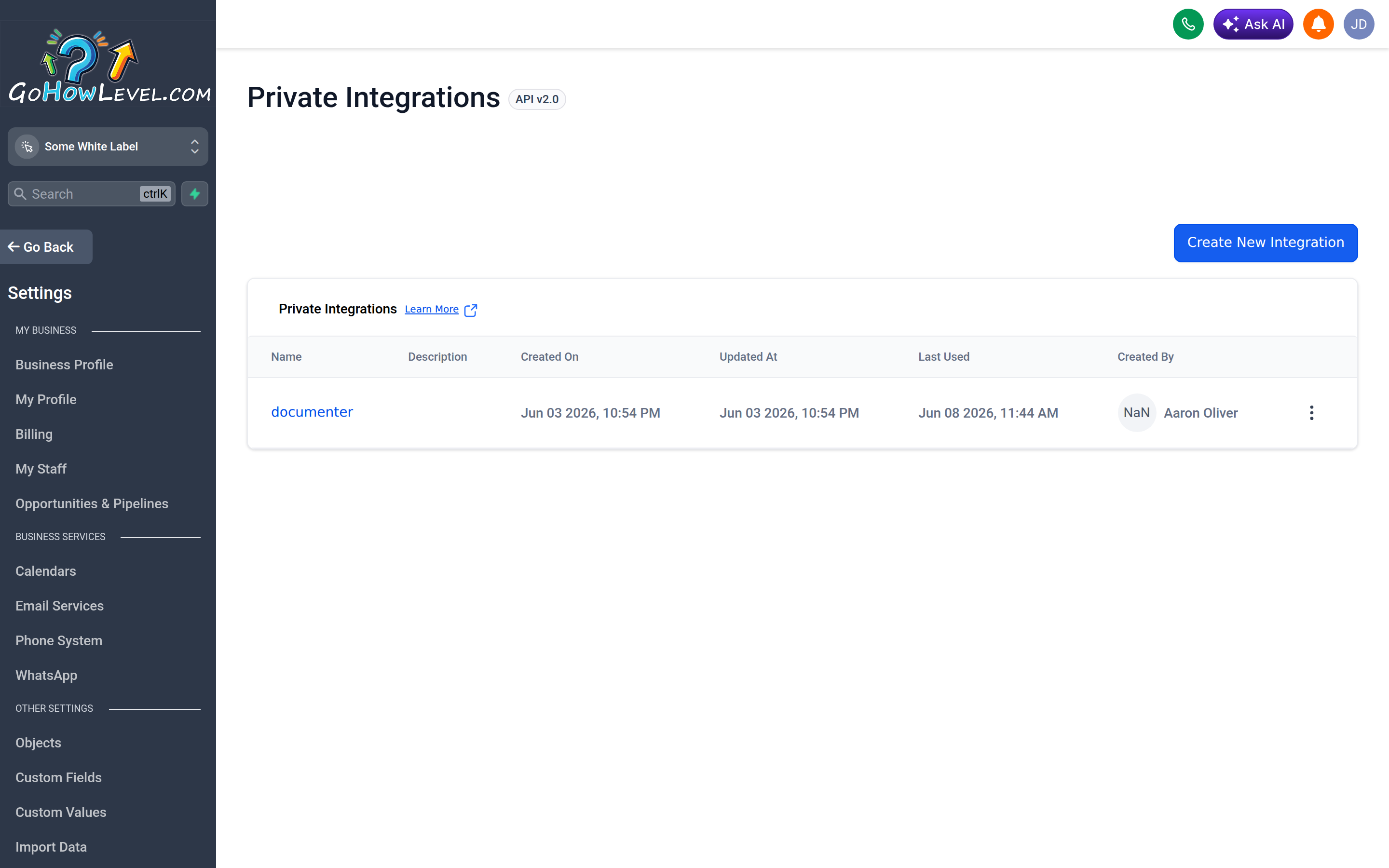
Private Integrations is where you create scoped tokens that let external tools access your account.
What Private Integration Tokens are for
Section titled “What Private Integration Tokens are for”A PIT lets something outside your CRM read or write data inside it. Common uses include:
- Custom integrations — connecting your CRM to an internal app or another platform.
- Scripts and automation — bulk-updating contacts, syncing records, or generating reports on a schedule.
- Third-party tools — services that ask for a token to pull data from or push data into your account.
Unlike a public OAuth app meant for distribution, a PIT is scoped to your single sub-account, which makes it ideal for private, one-off, or in-house connections.
Creating a Private Integration Token
Section titled “Creating a Private Integration Token”- Go to Settings in your sub-account and open the Private Integrations area.
- Start a new private integration and give it a descriptive name (for example, “Billing Sync Script”) plus an optional description so future admins know what it’s for.
- Select the scopes — the specific permissions and resources this token may access (such as contacts, conversations, calendars, or payments).
- Create the integration. Your CRM generates the token string.
- Copy the token immediately and store it somewhere safe. For security, most systems show the full token only once at creation time.
Choosing scopes: least privilege
Section titled “Choosing scopes: least privilege”Grant a token only the access it genuinely needs — nothing more. This is the principle of least privilege.
- If a script only reads contacts, give it read access to contacts and nothing else.
- Avoid granting write or delete scopes unless the integration actually performs those actions.
- Create separate tokens for separate tools rather than one all-powerful token. If one is compromised or retired, the blast radius stays small.
A narrowly scoped token limits the damage if it’s ever exposed and makes it obvious what each integration is allowed to do.
Where and how to use it
Section titled “Where and how to use it”Use the PIT as a Bearer token in the authorization header of your API requests. In practice that means each call to the API includes the token so the system knows the request is authorized and what it’s allowed to do. Many third-party tools simply have a field where you paste the token; custom code sends it with every request.
Security best practices
Section titled “Security best practices”Treat a PIT like a password — anyone who has it can act on your account within its scopes.
- Never share tokens over chat or email in plain text; use a password manager to store and hand them off.
- Rotate periodically — generate a fresh token, update your integrations, then delete the old one.
- Revoke unused tokens. Audit your integrations list regularly and delete any you no longer recognize or need.
- Name tokens clearly so you can tell at a glance what each one powers and safely retire the rest.
- Log and monitor how integrations behave, and revoke immediately if anything looks off.